Yananyaa My Store: Create Your Online Shop and Sell Locally
2026-09-18 · By Haileyesus Ingidu
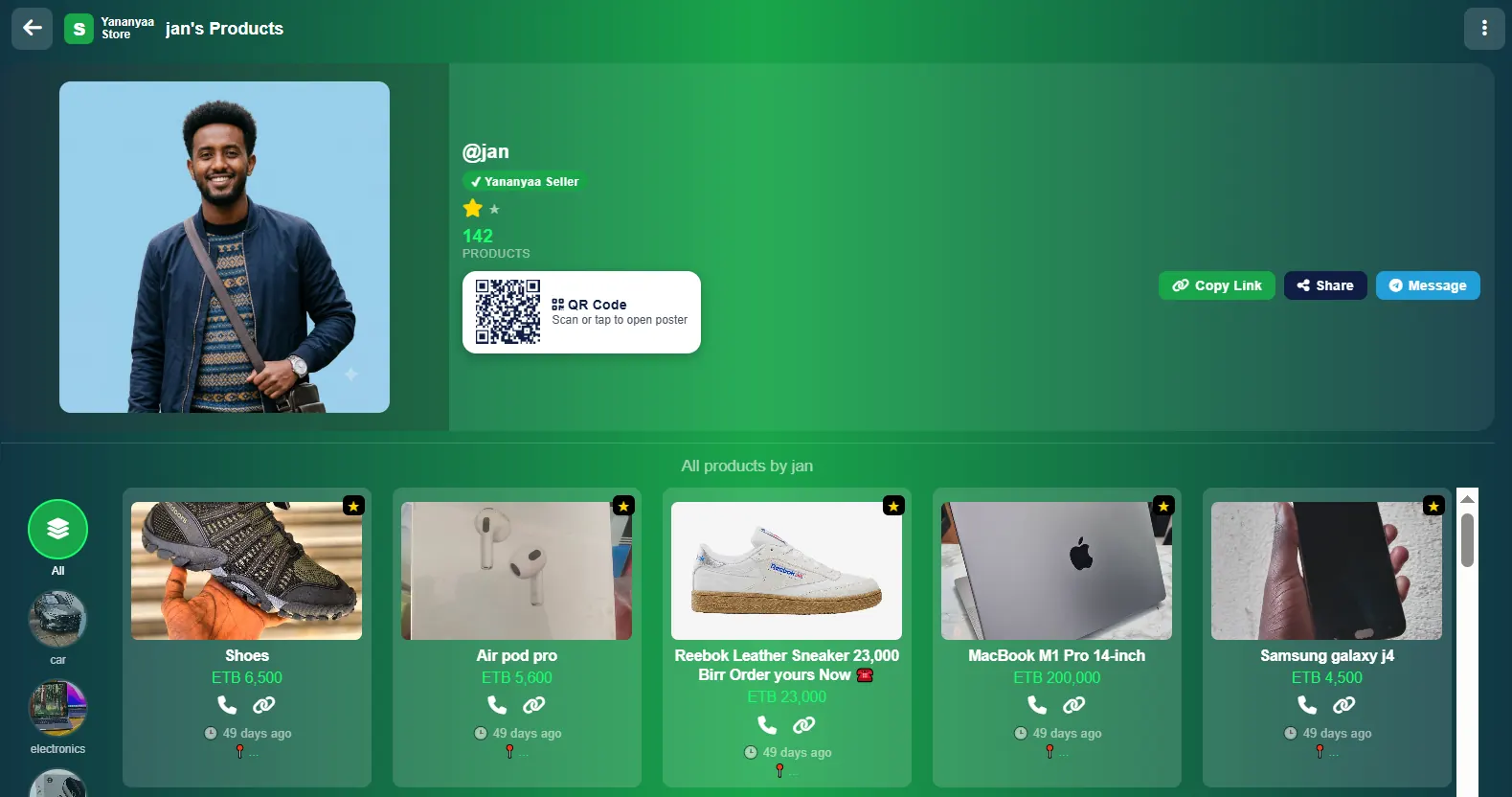
Selling online is easier when buyers can find all of your products in one place. With Yananyaa My Store, every seller gets a personal storefront inside Yananyaa Market. Buyers see your listings, your reputation and your contact options on a single page. This article explains what a seller page includes and how to use it to win more customers.
What is a Yananyaa store page?
A store page is a dedicated profile for one seller, identified by a username such as @jan. It shows only that seller's listed inventory, along with verified seller status, so shoppers can browse a merchant's full range without searching the whole marketplace.
Build trust with visible metrics
Buyers online want proof that a seller is reliable. The store page shows important trust indicators:
- Rating stars: the seller's overall rating.
- Product volume: the total number of listings, for example "142 Products".
- Verified seller status: a clear sign that the account has been checked.
- Listing age: each item shows how long ago it was posted, such as "49 days ago", giving buyers a realistic idea of how current it is.
Help buyers reach you instantly
Customers can contact the seller by direct phone call or by messaging on Telegram. There are no forms and no long waits, so a shopper who is ready to buy can talk to you within seconds. Sellers who reply quickly usually close more sales.
Show how close you are
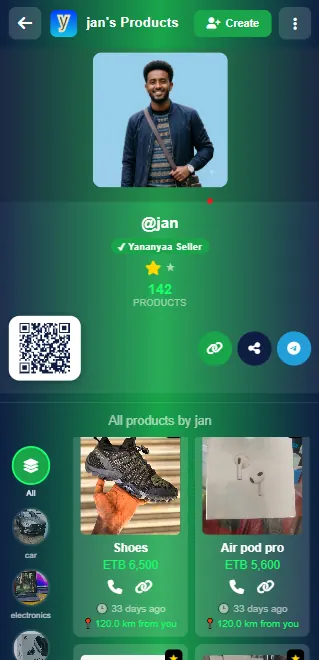
Each listing displays the distance from the buyer, such as "110.3 km from you". For local products this helps shoppers quickly find items they can collect or have delivered nearby.
Share your shop with a QR code or link
Sellers can generate a shareable QR code, or copy the direct link to their store, and promote it on other channels. Some practical ways to use it:
- Post the link in your social media profiles and Telegram groups.
- Print the QR code on flyers, business cards, packaging or a shop window.
- Add the link to your WhatsApp or Telegram status so contacts can browse your inventory.
Category filtering for shoppers
A sidebar menu lets shoppers filter your products by category, such as vehicles, electronics or footwear. This is especially helpful if you sell a wide range, because people can jump straight to what interests them instead of scrolling through everything.
Set up your shop
- Choose the Create Your Shop option in Yananyaa Market.
- Add your details and contact methods, including your phone number and Telegram.
- Upload your first products with clear photos, titles and prices in ETB.
- Assign each product to the correct category.
- Generate your QR code, copy your link and start sharing.
Tips to grow your store
- Refresh old listings. Because buyers can see listing age, remove sold items and update older ones so your page looks active.
- Use good photos. Natural light and a clean background make products look more trustworthy.
- Write precise titles. Include brand, model and condition.
- Answer quickly. Respond to calls and messages as soon as you can.
- Be honest about condition. Accurate descriptions lead to fewer disputes and better ratings.
Tips for buyers checking a seller
Before you buy, look at the seller's rating, how many products they have listed, whether the account is verified and how old their listings are. A store with recent listings and a good rating is generally a safer choice. Whatever the seller's profile says, still meet in a safe place and inspect items before you pay.
Frequently asked questions
Can I share my store outside Yananyaa?
Yes. Copy the direct link or generate a QR code.
How do buyers contact me?
By phone call or through Telegram.
Can buyers filter my products?
Yes. The category sidebar lets them filter by type, such as vehicles, electronics and footwear.
Conclusion
A store page gives your business a professional home online, with ratings, categories, distance and instant contact built in. Create your shop on Yananyaa Market and start reaching buyers today.
Ready to try My Store?
Create a free store page on Yananyaa, list your products with prices in birr, and let local buyers contact you directly.
Open My Store now → (opens in a new tab)