Designing Fair Online Exams: A Guide for Teachers
2026-10-03 · By Haileyesus Ingidu

Moving an exam online changes the way students experience it, and it also changes the way teachers should design it. A fair exam measures what students have learned rather than how well they cope with technology or how easily they can find answers. The following principles help teachers create assessments that students trust and that give reliable results. They apply whether you use a dedicated tool such as the Yananyaa Secure Exam Portal or another system.
Start with clear learning goals
Decide what each question is supposed to measure: recall, understanding or application. A mix is usually best. If most questions only test memorised facts, an online exam becomes easier to cheat on and less meaningful.
Write clear questions
- Use simple language and avoid double negatives.
- Make sure there is only one clearly correct answer in multiple-choice items.
- Write believable wrong options that reflect common mistakes.
- Ask a colleague to review the paper for errors before it goes live.
Choose sensible time limits
Time pressure that is too tight measures speed and stress, not knowledge. Test the exam yourself and add extra time for reading, typing and navigating. Remember that some students use slower devices or connections.
Reduce opportunities to cheat in a fair way
Randomise question order and answer options where possible, and draw questions from a larger pool so that students do not receive identical papers. Use application-based questions that require reasoning instead of searching. Explain the rules and the consequences of dishonesty clearly before the exam. Monitoring tools can support integrity, but students should always know what is being monitored and why.
Plan for technical problems
Provide a practice test, share a contact for help and decide in advance what happens when a student loses connection: can they resume, and will time be restored? Clear rules prevent arguments later.
Mark consistently
For written answers, create a marking guide with points for each part and apply it to every script. If you can, mark one question at a time across all students to keep standards even. Review results for questions that nearly everyone got wrong, because the question may be unclear.
Give useful feedback
Share results promptly and explain common errors. An exam should help students learn as well as measure them. When students believe the process is fair and transparent, they accept the result and focus on improvement.
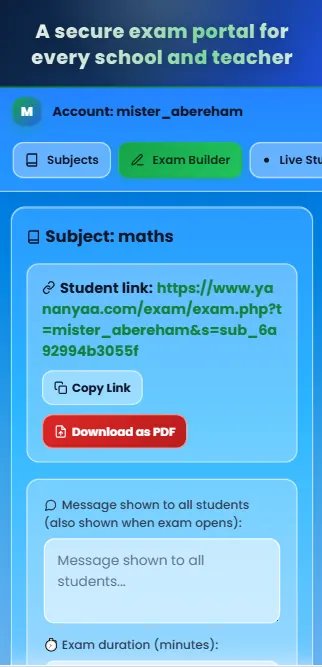
Ready to try Secure Exam Portal?
A secure online exam portal for schools and teachers: create exams, set time limits and review results in one place.
Open Secure Exam Portal now → (opens in a new tab)