Remote Teaching Basics: Keeping Students Engaged on Video Calls
2026-10-02 · By Haileyesus Ingidu
Teaching online is not the same as copying a classroom lesson onto a screen. Students lose attention more quickly, some have poor connections and shared devices, and it is harder to read faces. The good news is that a few simple adjustments make live lessons far more effective. These ideas work for schools, colleges and private tutors using a browser-based tool like Yananyaa Conference.
Keep lessons shorter and more structured
Attention fades faster on a screen. Aim for sessions of 30 to 45 minutes, divided into short parts of about ten minutes. Begin with a clear goal, such as today you will learn how to solve two types of equations, and finish with a short summary. Share the plan at the start so that students know where they are going.
Make participation normal
- Ask a question every few minutes instead of speaking for long periods.
- Use the raise-hand feature or chat so that quiet students can respond.
- Invite students by name and give them time to think.
- Use quick polls or short quizzes to check understanding.
Be considerate about technology
Not every student has a good device or reliable internet. Allow cameras to be off, share slides and notes in advance, and record key explanations if your platform allows it so that absent students can catch up. Avoid penalising learners for problems they cannot control.
Use visuals and examples
Simple slides, diagrams and real-life examples help understanding. Keep slides clean, with large text and only one main idea per slide. Writing or drawing on a shared screen while explaining can make abstract topics easier to follow.
Give clear instructions
Write homework and deadlines in a place students can always find, and repeat them verbally. Explain exactly what a finished task should look like. Ambiguity creates stress and unnecessary messages.
Build a sense of community
Spend a minute at the start of the session greeting students and asking how they are. Encourage them to help each other through group tasks or breakout discussions. Students who feel connected are more likely to attend and to try.
Reflect and improve
After each lesson, note what worked and what did not. Ask students for short, honest feedback: was the pace right, was the sound clear, what would help them most? Small improvements added week after week make online teaching more effective and more enjoyable for everyone.
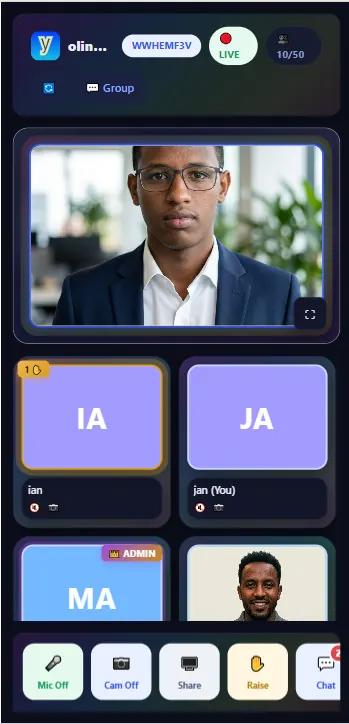
Ready to try Conference?
Yananyaa Conference: browser-based video meetings and virtual classrooms. No app install required.
Open Conference now → (opens in a new tab)