How to Run a Smooth Online Meeting on Slow Internet
2026-09-23 · By Haileyesus Ingidu

Slow or unstable internet is a normal part of life for many people, and it does not have to ruin a video meeting. Most problems come from a few predictable causes: too many people streaming video at once, a weak mobile signal, or a device that is busy with other apps. This guide explains simple habits that make meetings smoother for the host and for every participant, whether you use Yananyaa Conference or any other browser-based tool.
Audio matters more than video
People can follow a meeting with a frozen picture, but they cannot follow it with broken sound. When the connection is weak, switch your camera off and keep your microphone on. Encourage participants to do the same unless they are speaking or presenting. Turning off video can reduce data use dramatically and usually fixes choppy audio at once.
Prepare before the meeting starts
- Close other apps and tabs. Streaming, downloads and cloud backups quietly use bandwidth.
- Charge your device or plug it in. Video calls drain batteries quickly.
- Test your sound with headphones. Earphones with a microphone reduce echo and background noise.
- Find your best spot. Moving closer to a window or to the router can improve the signal more than any setting.
Keep the meeting itself light
If you are the host, send the agenda in advance so that people know what to expect. Share documents before the call instead of during it, because screen sharing uses far more data than voice. Keep meetings short, ideally under 45 minutes, and invite only the people who truly need to attend. For large audiences, bring only the speakers on camera and let everyone else listen.
What to do when the connection drops
Agree on a backup plan at the start. Tell participants that if they are disconnected, they should rejoin using the same room code and wait a minute before trying again. For important sessions, ask one person to take short notes so that anyone who drops out can catch up quickly. If a speaker keeps freezing, ask them to continue by voice only and share their slides in advance.
Choose the right time
Networks are often busiest in the evening, when many people are online together. If possible, schedule important meetings in the morning or early afternoon. If your mobile data is limited, check how much a one-hour call uses on your device and plan accordingly.
A quick checklist
- Camera off unless needed
- Other apps closed and device charged
- Agenda and files shared early
- Rejoin plan agreed with everyone
With a little preparation, even a modest connection can support a clear, professional meeting. The goal is not perfect video; it is a conversation that everyone can hear and follow.
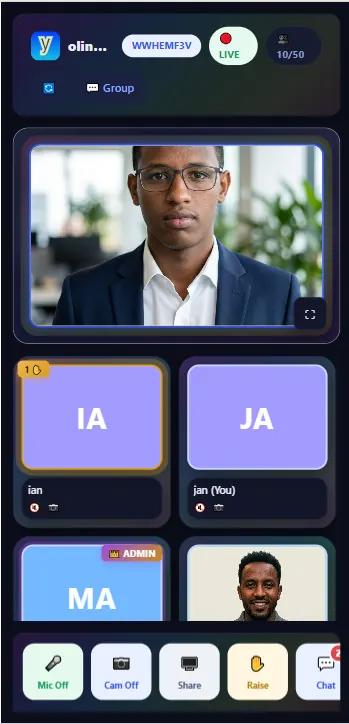
Ready to try Conference?
Yananyaa Conference: browser-based video meetings and virtual classrooms. No app install required.
Open Conference now → (opens in a new tab)